DesignCad
- Started
- What's New V.4.7
- Getting Started
- Home Screen
- Dxf Send/Receive
- Model Design
- Point Operations
- Grading
- Pieces Operations
- Plot Piece
- Print Piece
- Measurement
- Sewing Processes
- Dart/Pleat Operations
- Internal Shape / Internal Point
- Marker Operations
- Marker Print
- Super Marker
- Technical Card Operations
- Cost
- Plot Marker
- Options
Send Vector File
Used to save the prepared marker as a vector file in EPS, PDF, Adobe Illustrator (.ai) or CorelDRAW (.cdr) format.
For printing, sampling and external design work, the marker can be opened from these files in Illustrator, CorelDRAW or a PDF reader.
After the marker is prepared on the marker screen, open the File menu, then the Send submenu, and select the format: EPS, PDF, Adobe Illustrator (*.ai) or CorelDRAW (*.cdr).
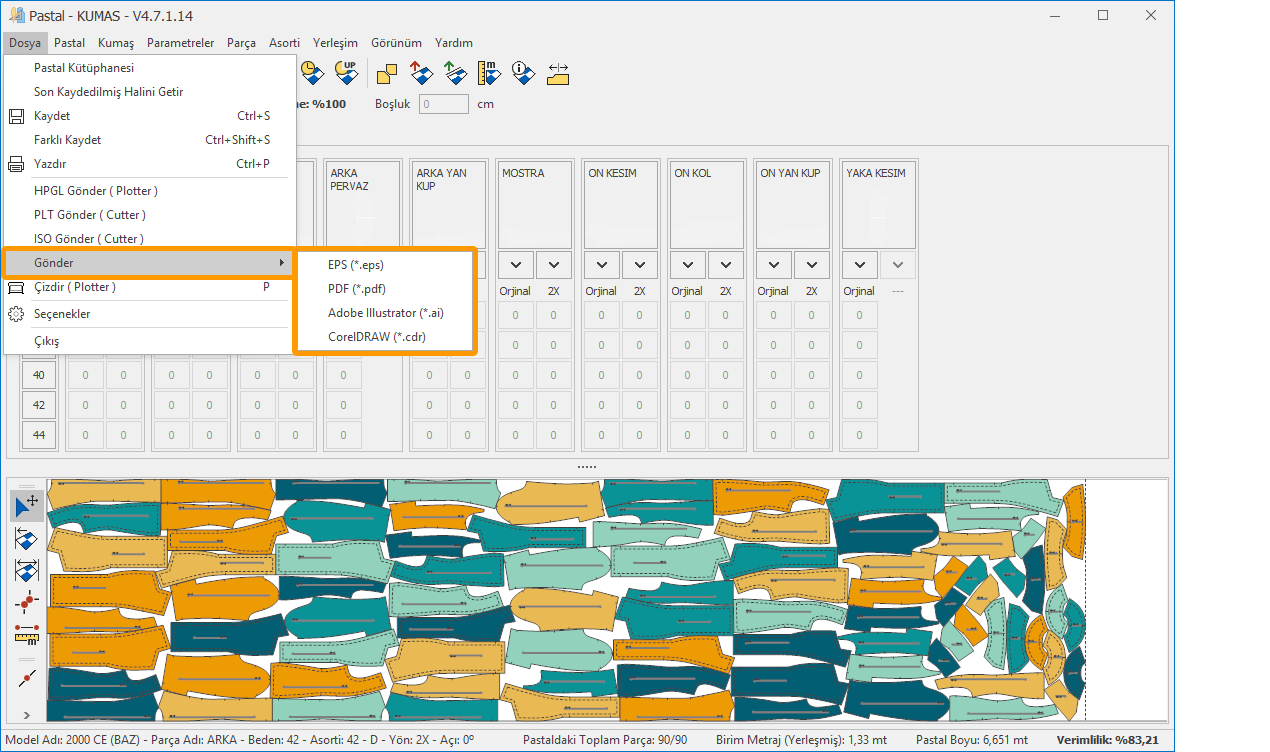
In the window that opens, select the folder where the file will be saved and click Save.
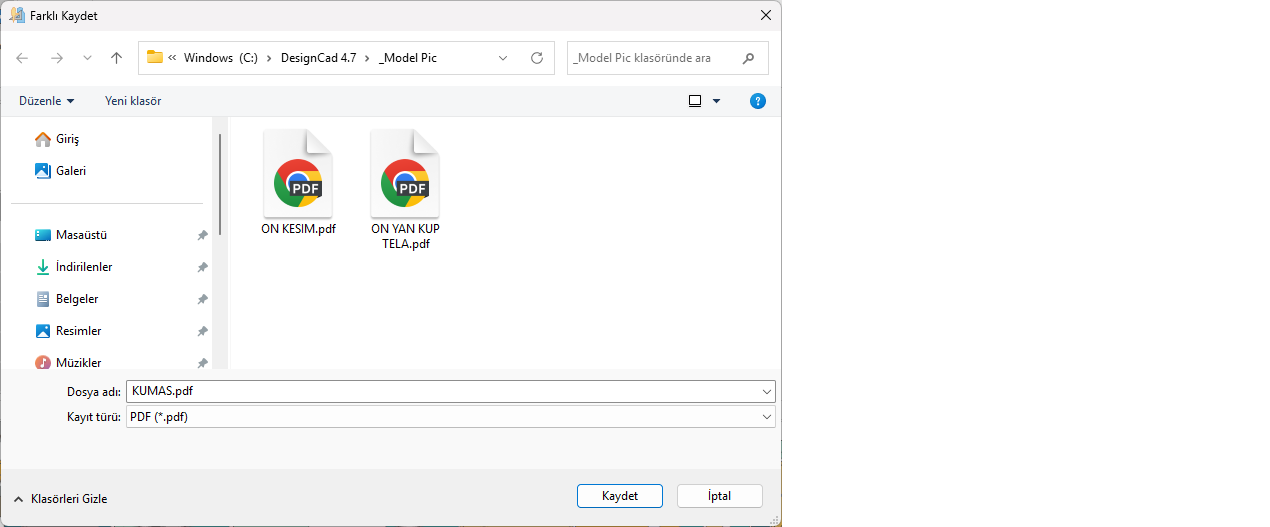
 Only the pieces are written to the file; the marker frame, title and information texts are not written. Seam lines with zero allowance are not written. When CDR is selected, the file is written with Illustrator content that CorelDRAW can open.
To save selected pieces as vector files from the Pattern Design screen, see the Save As section on the Plot Piece page.